If you can’t change the settings in your Philips Azur Elite steam iron, please discover in the following lines how to solve it.
I can’t change the steam settings in my Philips Azur Elite iron
Published on 2021-07-04
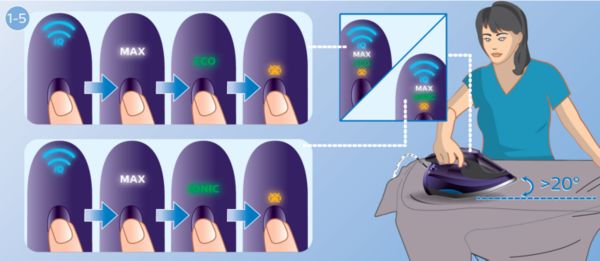
The iron needs to be tilted while pressing the button
Your Azure Elite iron comes with four different steam settings: DynamIQ (steaming as it moves), MAX (Maximum steam delivered constantly), ECO (minimum steam delivered constantly), and No steam
To change the settings in your Azur Elite iron, you need to slightly tilt the iron (20 degrees) at the same time that you press the button located on top of the handle.
When this is not done simultaneously, you will not be able to change the settings.